


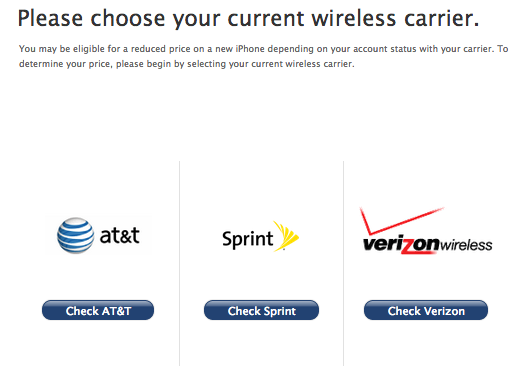
Are you planning to buy the iPhone 5S or the iPhone 5C in the coming weeks? If you’ve signed up for a two-year contract, then you’ll want to check your upgrade eligibility with your carrier before you even think about pre-ordering one of these new iPhones. If you are a Sprint, AT&T, Verizon or T-Mobile customer, then read on to find out how to check the terms of your current contract.
AT&T: AT&T customers have the option of making a phone call or checking online.
- Log in to myAT&T using your PC or tablet. From the Overview page, go to the “I want to” drop-down list and select “Manage my plan & services.” Then select Check upgrade eligibility.
- Call *639# (*NEW#) from your wireless device to get a free text with your upgrade eligibility status.
Verizon Wireless: Verizon Wireless customers have the option of making a phone call or checking online.
- On your Verizon iPhone, dial #874 and a text message will be sent to your phone with your upgrade eligibility status.
- Login to your Verizon Wireless account. Your upgrade eligibility date is listed on the Upgrade Your Device page in My Verizon. You’ll see a list of the mobile numbers on your account, and the upgrade eligibility date will be listed below each mobile number.

Sprint: Sprint customers can call a special customer service line, request a text message or visit their account on Sprint’s website.
- Call into Customer Care by pressing *2 on your handset and then press 1. Enter your phone number and press 1 to check upgrade eligibility.
- Use your phone by texting the word “upgrade” to 1311.
- Go directly to the Upgrade Eligibility Site located here. This link is also located in the footer of all pages under “Shop.”
- Log into My Sprint and visit the My Account tab. Locate the “Upgrade phone” link in the “I want to” section next to the phone you are looking to upgrade.
T-Mobile: T-Mobile customers ditched contracts earlier this year, but those legacy customers who still have a contract can check their upgrade eligibility online.
- Log in to My T-Mobile and from the center of the landing page, click “Upgrade Phone.” Then select “See more details” to view details of the device, pricing, and contract options.
Apple: Apple also offers iPhone upgrade eligibility check, but you’ll need to enter the last four of the primary account holder’s SSN.


